
Key Takeaways
- Print automation connects ordering, artwork checks, approvals, scheduling and dispatch into one workflow, removing the re-keying between each step.
- Sun Print Solutions went from contract to first live storefront in 47 days, against a 90 to 120 day industry average, and removed over 50 hours of manual work a week.
- Automation also removes key-person risk: pricing rules and product logic move out of one person’s head and into a system the business can inherit.
- Automated preflight comes from the Enfocus PitStop Pro add-on, which checks every file on upload and corrects common faults before the job reaches prepress.
- Start by costing your current manual process, as Sun Print did at 30 minutes per job, then automate the highest-friction step first.
Updated September 2026
It’s a dilemma facing commercial printers across North America. Invest in print automation software, at a time when every cost is being analysed by the CFO, or persevere with current manual processes.
But while these laborious, inefficient manual processes may have kept you and your customers happy in the past, they are now costing your print operation more than just time. They’re limiting your capacity, driving up labour costs, and increasing the risk of errors that damage client trust.
From quoting and proofing to production scheduling and dispatch, every disconnected system and repetitive task slows you down.
Print automation software
That’s where print automation software steps in. By streamlining workflows, from web-to-print ordering through job management and system integration, you shift from reactive firefighting to proactive throughput.
Whether you’re battling bottlenecks on the shopfloor or struggling with inconsistent job tracking, the right software helps you deliver more jobs, faster, with fewer mistakes and less manual effort.
In this guide, we’ll break down what print automation really means, how it works in a commercial environment, and the ROI printers are seeing today.
What is print automation?
Print automation is the process of using software to streamline and connect the steps involved in managing and producing print jobs, reducing manual input, eliminating bottlenecks, and accelerating delivery.
At its core, print automation software helps printers move from disconnected, admin-heavy workflows to a fully integrated system where orders, artwork, approvals, scheduling, and production are all connected.
For example, with web-to-print for commercial printers, customers can place orders online, upload artwork, and receive instant proofs, all without a single email chain or phone call. Behind the scenes, job specs flow directly into your MIS (management information system), prepress and production queues, cutting down on rework and turnaround times.
Instead of relying on spreadsheets, paper tickets, or manual job setup, modern print automation tools centralise control and visibility. This frees up your team to focus on output rather than admin.
Why automation matters for commercial printers
For commercial printers, time is money, and manual processes eat into both. From quoting to proofing, every manual task adds friction to your workflow, increases the risk of human error, and slows down your ability to deliver.
And it’s not just about speed. Rising labour costs, inconsistent customer communication, and disconnected systems make it harder to scale without hiring more staff or overloading your team.
That’s where workflow automation for printers becomes a competitive edge. By automating repetitive tasks and integrating your production workflow, you can:
- Eliminate bottlenecks in quoting, proofing, and job setup
- Reduce rework by ensuring artwork is approved and production-ready before hitting the press
- Streamline communication between sales, production, and the customer
- Take on more jobs without increasing overhead
The risk nobody puts on the balance sheet
There’s a second reason printers start looking, and it rarely shows up in an efficiency calculation.
In a lot of print businesses, the product rules, the pricing logic and the customer-specific quirks live in one person’s head. The estimator who knows which jobs to quote differently. The prepress lead who knows which client always sends files in the wrong colour space. It works, right up until it doesn’t.
Alliance Insights research found that 72% of printers struggle to hire production staff. When the person holding that knowledge retires, leaves, or is simply off for a fortnight, there is often nobody to hand it to.
Automation changes what that knowledge is. Instead of living in someone’s memory, pricing rules, product configurations and preflight criteria sit in a system where they can be seen, edited and inherited. The business keeps running when the person doesn’t.
If you have someone nearing retirement who is the only person who knows how something is priced, that is a stronger reason to start than any efficiency saving.
How print automation software works
So how does print automation software actually work in a commercial print environment? Here is a typical workflow, from order to dispatch.
Order to dispatch, with no manual handoff between steps
1. Online ordering
Customers place orders via a branded web-to-print portal. They can select products, upload artwork, and receive real-time quotes, all without needing to call or email your team.
2. Automated artwork checks and approval
Automated preflight comes from the Enfocus PitStop Pro module, the most adopted add-on in the Infigo ecosystem. As soon as a file is uploaded it is checked against criteria you set, and common faults are corrected on the fly. If the artwork passes, an instant proof is generated for client approval, with no manual handling and no chasing by email.
Without PitStop Pro, this stage stays a human one. Files route into an approval queue for a prepress operator to review and approve or reject, or sync to a hot folder for checking in Acrobat or whatever prepress software you already run.
3. Print job management software takes over
Once approved, job specs feed directly into your production workflow via your MIS and CRM (customer relationship management) integrations. Everything from inventory tracking to production scheduling stays connected and accurate.
4. Production and queue management
Jobs are auto-assigned to the appropriate print queues based on deadlines, formats, or machine availability, automating print production while optimising resource usage.
5. Dispatch and notifications
Once printed, dispatch instructions are triggered automatically, with customers receiving real-time updates on job status and delivery.
The whole process is powered by print workflow integration. Infigo connects to production and business systems including CERM, HP SiteFlow, Zaikio, Printess and Enfocus, removing silos and reducing manual touchpoints.
What this looks like in three real print businesses
Dscoop ran a four-part series tracing how the print storefront becomes the front end of a production system. Three Infigo customers, at three different sizes, each ended up solving the same problem.
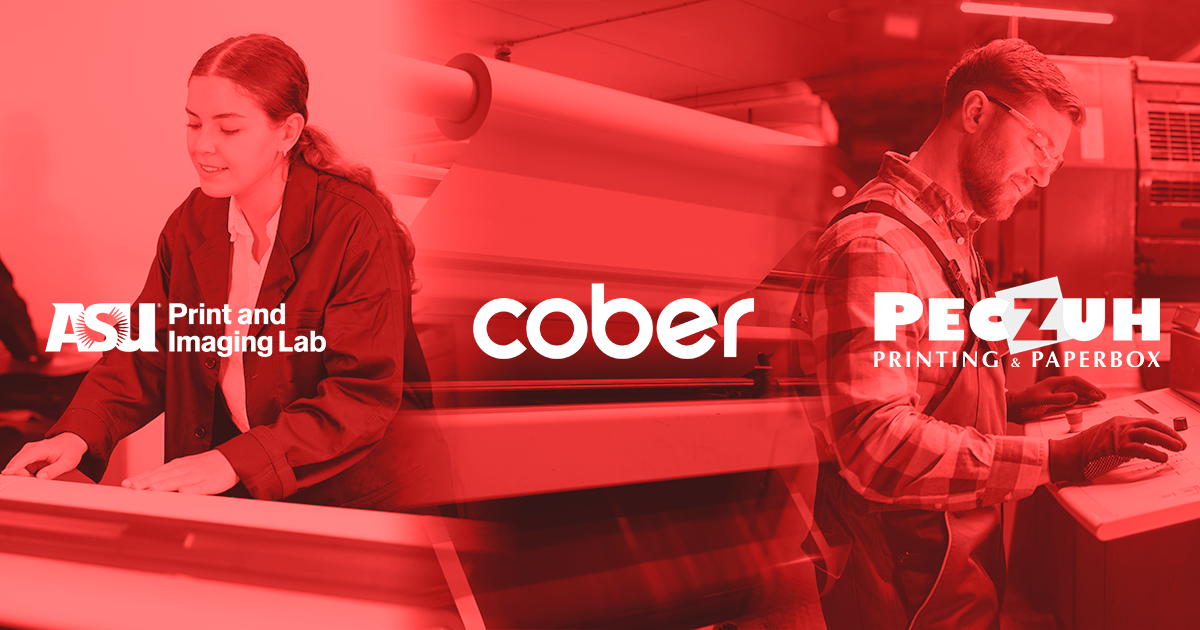
- ASU Print and Imaging Lab serves 215,000 students, faculty and staff and is entirely self-funded. A business card order now goes from click to press in minutes.
- Cober Solutions runs 15 direct brand integrations and processes 350 publications a month through litho, with around 95% automation across digital, warehousing and fulfilment.
- Peczuh Printing runs 22 B2B storefronts, including a Children’s Miracle Network portal serving 141 hospitals. Orders reach the press as print-ready PDFs with no human touch beforehand.
Real-world example: Sun Print Solutions
Sun Print Solutions is an 85-year-old commercial printer in Utah with 130 employees, running a KM-1 digital press, HP Indigo, digital roll and two offset presses. Before automating, every B2B order went through manual entry and prepress.
They costed it. Then they replaced it.
They also came away with:
- 50+ hours per week of manual work removed
- 13 storefronts built, 10 live, with a complete migration off the old platform inside a year
Aubrey Smith, Web to Print Specialist at Sun Print Solutions, said: “We calculated what it costs to manually enter an order and do pre-press work. About 30 minutes per job. We’re processing hundreds of jobs each week through the automated system now. That’s over 50 hours a week we’ve reclaimed.”
On what happens to those orders now: “I don’t touch them. They go straight into production, get processed, get shipped, and tracking numbers send automatically.”
Jeff Carter, Director of Technology at Sun Print Solutions, described the production side: “We receive an order through Infigo, and the system makes determinations based on quantity, which press to use, which paper. Orders get created in the MIS automatically with all the right routing information. We’ve automated production decisions for repetitive jobs that used to require manual processing.”
The same pattern, in a different shop
Talient Action Group (TAG), based in Manchester, New Hampshire, reached the same place from a different starting point. Marc Forest, TAG’s Digital Services Manager, said the biggest bottleneck was manually checking file quality.
He said: “Before we started using Infigo, everything about our print process was super manual. Clients would send print PDFs through email, and we’d have to preflight and fix every file ourselves, which was always a mess.”
Now it’s a different story, with jobs “flying through the print shop.” Marc continues: “The first time a human even lays a hand on it is when the pressman pulls sheets off the back of the press. That profit loss we used to get from the manual steps? Gone. Totally out of the picture now.”
Marc said: “Now, when a customer places an order, all the assets and print specs drop straight into our MIS, ready for job ticketing. No extra steps.”

Key benefits of print automation
Implementing print automation software isn’t just about going digital. It’s about building a leaner, faster, more scalable print operation.
Think Patented, an Ohio-based print and marketing provider, roughly doubled its live B2B storefronts from around 30 to nearly 60 and consolidated five legacy systems onto one platform. Infigo CEO and Founder Douglas Gibson said: “When providers like Think Patented can automate workflows, access real-time data, and scale storefronts efficiently, they are better equipped to operate with speed and precision. That translates directly into stronger customer relationships and long-term growth.”
Below are three benefits that commercial printers report after automating their workflow.
Lower operational costs
Manual job setup, quoting, and approval processes burn hours every week, and labour hours cost money.
With workflow automation, these repetitive tasks are handled automatically. From auto-generating quotes to routing jobs to the right queue, you can eliminate bottlenecks and reduce the need for overtime or additional staff.
Faster turnaround times
With fewer manual steps, jobs move faster through every stage, from order to press to delivery.
- Artwork is auto-checked and approved
- Jobs are auto-routed to machines based on specs or availability
- Real-time updates keep teams aligned without chasing emails
Happier print customers
Fast, reliable and transparent service makes for loyal clients. Print automation gives customers:
- Real-time order updates and proof approvals
- Consistent quality control
- Fewer delays and errors
Integrating automation with MIS, CRM and web-to-print systems
Print automation isn’t just about speed. Without proper integration, even the best software becomes another disconnected tool that adds friction instead of removing it.
Erwin Driever of Cober Solutions put the buying criterion plainly: “If you can’t integrate into an existing system in some form or fashion that hopefully is relatively easy, it’s just not worth the effort to even look at or invest in.”
MIS and CRM for printing
Connect your MIS to automatically pull order specs, track job progress, and provide accurate reporting. Pair that with CRM data and you can automate personalised communications, order history lookups, and targeted reordering campaigns.
Web-to-print automation
Give customers 24/7 access to place orders, upload artwork, and approve proofs from a branded portal. No more email chains or manual uploads. Orders flow directly into your production queue, ready to go.
Print workflow integration
The real value lies in tying it together. Your web-to-print portal speaks to your MIS, which talks to your production equipment. Boris Antonissen, Prepress Manager at Control Media, described what that means in practice: “The platform doesn’t just move files, it makes decisions. It’s checking bleeds, resolving colour spaces, optimising imposition, and routing work to the right press.”
Getting started with print automation
Adopting print automation software doesn’t mean ripping out everything and starting from scratch. It’s about identifying where the manual friction sits, then introducing automation gradually at the points of highest impact.
Here’s a typical roadmap.
1. Audit your current workflow
Where are you losing the most time? Manual quoting? Proof approvals? Order entry? Sun Print costed theirs at 30 minutes per job before they changed anything, which is what made the business case obvious.
2. Define quick wins
Automating the quoting process, adding a branded web-to-print portal, or connecting your MIS can deliver value within weeks rather than months.
3. Plan for integration
Choose a solution that works with your existing systems, including your CRM, MIS and production equipment, so you’re not creating new silos.
4. Bring your team along
Change management matters. Sun Print’s 47-day launch came down to giving one person dedicated time to learn the system properly. Choose a partner that offers hands-on support, clear documentation, and training that fits your team’s pace.
Whether you’re running a busy commercial print shop or managing multiple in-plant teams, automation is no longer optional.
With Infigo’s print automation software, you can:
- Reduce costly admin and manual errors
- Increase throughput without increasing headcount
- Deliver a faster customer experience
- Integrate with your existing MIS, CRM, and production tools